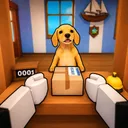
Mail Simulator Roblox Getting Started in Mail Simulator
Your first shift on the island post office—customers, packages, and the delivery ship explained.

Mail Simulator (Dog Mail) on Roblox drops you onto a bright island post office run by MEROYst. The fantasy is simple: run a real shift. Customers line up with requests, parcels pile on sorting tables, and a ship waits at the dock to carry mail to the next stop. Do the work well, earn coins, and reinvest in stands and characters that make the next shift smoother. Up to five friends can co-op in a server that supports twenty players, but solo play teaches fundamentals faster.
This getting started guide assumes zero prior sim experience. Follow it once, then branch to Controls, How to Sort Packages, and How to Load the Ship when you want depth.
What Mail Simulator is about
Unlike combat Roblox games, Mail Simulator rewards routine mastery. The loop looks like this:
- Serve customers at the front counter—take orders, hand parcels, or trigger the next NPC in queue.
- Sort packages in the back room—match labels, destinations, or priority markers before mistakes stack penalties.
- Load the ship—move sorted crates from staging areas to the vessel before departure.
- Collect coins and tips tied to speed and accuracy.
- Spend coins on stands and characters that raise income or movement speed.
Miss the ship timer and you leave money on the dock. Ignore customers and the queue backs up, slowing every downstream job. The game feels cozy, but it is a logistics puzzle wearing a vacation skin.
Your first ten minutes
When you load place 80758549465719, watch for a short tutorial or on-screen prompts. MEROYst typically gates tools until you:
- Interact with the customer counter at least once.
- Pick up a package and place it on a sort table.
- Walk a sorted box toward the dock or ship ramp.
Do not skip these steps—they unlock carry animations, UI trackers, and sometimes your first coin payout. If prompts disappear, open the menu and look for a “Tasks” or “Objectives” panel; Roblox sims often hide lingering tutorial arrows there.
Serving customers
Customers are your clock. Each satisfied NPC drops coins and may spawn new parcels for sorting. Early shifts feature forgiving timers, but habits matter:
- Face the counter when interacting so click detection registers on busy servers.
- Clear one customer completely before tabbing to sorting unless a co-op partner owns the floor.
- Watch mood icons if MEROYst adds patience meters—angry customers pay less in many sims.
If the line grows long, prioritize quick transactions over perfect role-play. Speed early unlocks more shifts per hour, which beats chasing cosmetics on day one.
Sorting and shipping overview
Packages usually arrive with destination tags, priority colors, or size classes. Tables may have outlined zones—drop parcels in matching slots. Wrong slots sometimes bounce back or flag red; fix immediately because error cascades slow the whole team.
When the sorting backlog shrinks, listen for ship horn audio or a departure countdown UI. That is your cue to switch jobs. Carry stacks to the dock; larger boxes may need two-handed animation or slower walk speed—plan pathing without sprinting into walls.
Detailed mechanics live in dedicated guides:
Coins and first purchases
Coins appear as shift rewards, customer tips, and milestone bonuses. Before spending:
- Complete at least three full loops (counter → sort → ship) to feel baseline income.
- Read Earn Coins Fast for efficiency, not just grind length.
- Buy one income stand before exotic characters unless a free trial character satisfies you.
There are no verified promo codes yet—see Codes—so your first upgrades must come from gameplay.
Playing with friends
Invite up to four others (five players total) into the same island office. Without coordination, everyone rushes the counter. Skim Co-op Roles early so you assign counter, sort, runner, and dock jobs verbally. Public servers with twenty players can feel crowded; private friends-only sessions are ideal for learning.
Common beginner mistakes
- Abandoning the counter to sort one box—queue stall costs more than a single mis-sorted parcel.
- Ignoring ship timer to finish “just one more” sort—departure penalties hurt more than leftover table work.
- Buying cosmetics first—stands compound every future shift; skins do not.
- Using wrong-game codes from Mail Delivery Simulator videos—waste of time; follow Official Links instead.
Where to go next
| Goal | Next guide |
|---|---|
| Learn inputs | Controls |
| Fix sort backlog | How to Sort Packages |
| Catch ship timer | How to Load the Ship |
| Raise hourly coins | Earn Coins Fast |
| Plan unlock order | Unlock Stands and Characters |
| Play with friends | Co-op Roles |
Mail Simulator launched live in July 2026; MEROYst may add islands, vehicles, or events—track Updates so your routine evolves with patches. Welcome to the island post office; your first ship is waiting.
Frequently Asked Questions
Quick answers about Mail Simulator sorting, ship loading, and co-op play.
Is Mail Simulator free on Roblox?
Yes. The base experience is free to play; optional Roblox purchases may exist for cosmetics or boosts—check the in-game shop after tutorial completion.
Can I play Mail Simulator solo?
Absolutely. Solo is the best way to learn the serve-sort-ship loop before coordinating with up to five co-op friends.
How long is a typical shift?
Early shifts run a few minutes per ship cycle. As you unlock stands, you chain more customers per departure and shifts feel longer but richer.
What should I unlock first?
Prioritize a stand that increases customer throughput or payout before cosmetic characters. See Unlock Stands and Characters for a full order.